SystmOnline
What is it?
Put simply it's a 24 hours a day, 7 days a week means of contacting your GP surgery and accessing your medical record.
There are many benefits to using our online services;
- Book, change or cancel an appointment
- View and order repeat medication
- See test results
- See GP and hospital letters
- View your health record
- Share your medical record with a third party
How to register for Online Services
If you have not used our online services before you will need to:
- Come to the Surgery and provide photo ID so we can confirm your identity and the receptionist will then issue you with a username and password.
- Enter SystmOnline and enter your registration details exactly as shown on the form.
- After registering, log on with your username and password.
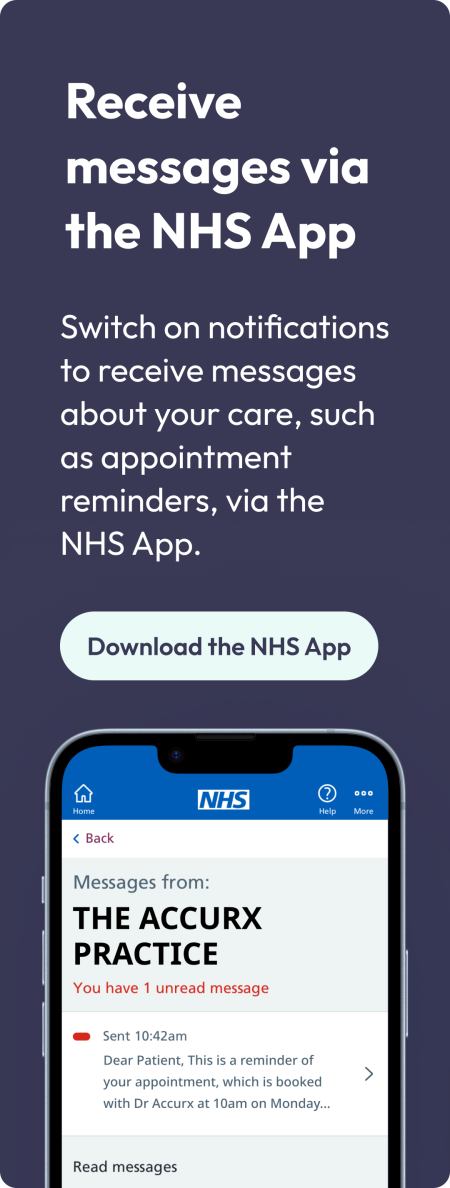
Alternatively, you can register for the NHS App and use their in built identity check. For more information please visit How to Prove Who You Are
Help & Support
The Practice team will, as always, be available to help and support you with reconnecting your Online Access but if you have problems logging into your online account you would need to contact their support desk for assistance as the practice cannot reset passwords.
Proxy Access
What is Proxy Access?
You can now request to act as a proxy for children, relatives and dependants that you care for using Online Access.
This enables a parent, family member or carer to act on behalf of the patient with their access tailored accordingly. The proxy feature has gone through rigorous analysis to ensure there are no data privacy risks.
Appointment booking, repeat medication requests, messaging and, where applicable, access to medical records, can easily be accessed by the proxy once a relative or person has been linked.
Requesting Proxy Access
If the relative or person you wish to act on behalf of is at a different practice to yourself, you can ask your relative’s GP Practice to register you for proxy access.
You can request proxy access in person at Reception or via telephone by calling 01778 579000, the request should include the level of proxy access that is required, examples include: access to book appointments and/or order repeat prescriptions and/or view the patient’s medical records.
Requesting Access for Children Aged 0 to 13 years
Parents or the registered carers of children (with the permission of the children’s parents or those granted legal guardianship) are able to have access to their children’s records and this will be linked to the parent’s online account. The Parent/guardian will need to confirm parental responsibility – which in majority of cases will be the viewing of the child’s birth certificate. There are however strict guidelines relating to children’s medical records and from age 13 online access will automatically stop. This is to ensure that children have the opportunity to access medical help with the knowledge that this will be confidential.
The guidelines that we follow in relating to children are called Gillick Competence and Fraser Guidelines. Information relating specifically to these guidelines can found below.
Requesting Access for Children Aged 13 to 16 years
Between the ages of 13 and 16 the parent/guardian can continue to have access with the child’s consent if the child is deemed competent by his/her GP. The child can also be granted access. It is a local practice decision whether online services are available to children in their own right under the age of 16. On reaching the age of 16, parental access ceases and rules governing access for adult patients apply.
Requesting Access for those Aged 16 to 17 Years
The NHS England patient guide Young People’s Access to GP Online Services explains how to set this up.
Background information
In UK law, a person’s 18 birthday draws the line between childhood and adulthood (Children Act 1989 s105) – so in health care matters, an 18 year old enjoys as much autonomy as any other adult. To a more limited extent, 16 and 17 year-olds can also take medical decisions independently of their parents.
The right of younger children to provide independent consent is proportionate to their competence – a child’s age alone is clearly an unreliable predictor of his or her competence to make decisions.
Fraser and Gillick Competencies
The ‘Gillick Test’ helps clinicians to identify children aged under 16 who have the legal capacity to consent to medical examination and treatment. They must be able to demonstrate sufficient maturity and intelligence to understand the nature and implications of the proposed treatment, including the risks and alternative courses of actions. In 1983, a judgment in the High Court laid down criteria for establishing whether a child had the capacity to provide valid consent to treatment in specified circumstances, irrespective of their age. Two years later, these criteria were approved in the House of Lords and became widely acknowledged as the Gillick test. The Gillick Test was named after a mother who had challenged health service guidance that would have allowed her daughters aged under 16 to receive confidential contraceptive advice without her knowledge.
As one of the Law Lords responsible for the Gillick judgment, Lord Fraser specifically addressed the dilemma of providing contraceptive advice to girls without the knowledge of their parents. He was particularly concerned with the welfare of girls who would not abstain from intercourse whether they were given contraception or not. The summary of his judgment referring to the provision of contraceptive advice was presented as the ‘Fraser guidelines’. Fraser guidelines are narrower than Gillick competencies and relate specifically for contraception.
Frequently Asked Questions about the NHS App
To use the NHS App you must be:
- Registered with The Deepings Practice.
- Aged 13 and over (patients aged between 13 and 15 will need to speak to their practice to set up access).
Android – 5 (Lollipop) - For the best experience on Android, it is recommended to use version 8 (Oreo)
Apple – iSO11 and above
Once you have downloaded the app from either the Apple App Store or Google Play Store you will be prompted to either sign in with an exisiting NHS login or create a new login - more information on this can be found by visiting this web page - https://help.login.nhs.uk/setupnhslogin/
You can prove who you are using photo I.D or Online Services information (see below),Once your NHS app is connected to The Deepings Practice you will be able to order repeat medications and also view your SCR (summary care record)
Yes we can supply you with the online services information needed to connect the app to The Deepings Practice, We can provide you with an Account ID, Passphrase and Organisation ID. You can collect these details in person from Reception or we can send them to you via an email or SMS message to a verified email address or mobile phone number.
In order for us to enable access to your full medical record we will need you to visit one of our surgeries and show us one form of photo ID, e.g. Passport, Driving License, Citizen Card. Once we have seen a verified ID we will be able to activate access to your full record.
This step is a separate process required by NHS digital when linking your app to your GP surgery, We ask patients to show us their ID in person for security checks and to ensure only verified patients can access their full medical record.
If you are registered with a GP surgery in England, you can use the app anywhere outside of the UK.
Problems with the NHS app should be submitted to NHS Digital directly using this link - https://www.nhs.uk/contact-us/nhs-app-contact-us
If you think you may be missing an item on your record or if you are unable to order a repeat medication then please contact the surgery on 01778579000
You may not see a repeat prescription listed if:
- it was issued more than 6 months ago
- it was prescribed at a hospital or other secondary care centre
- it was issued at a time when you lived outside of England
You may not be able to order some prescription items if:
- you need a medicine review
- it’s too early to order your medicine
- it’s an acute (short-term) or one-off prescription
- it has already been requested